
ImageBrowserPro / Photographer and picture editor
Share the photographs once. Then share only the conversation.
Redefine the remote photographer–picture editor relationship. Send the shoot to the editor one time, then trade small project files that carry selects, comments, drawings, and boards back and forth.
Remote picture editing workflow
01
Share the folder once
02
Send a Project
03
Return the edit
Shared Files
Each thing travels where it belongs.
Media goes through your cloud folder. The conversation goes through a small project file.
YOUR CLOUD FOLDER
The photographs.
The photographer puts the shoot in the team’s existing Dropbox, Google Drive, or similar. Everyone syncs it locally once, with the same filenames and subfolders.
BROWSERPRO CONNECT
The project file.
A small .ibpproject carries adjustments, sets, selections, comments, boards, and drawings. It never uploads the photographs.
EACH COMPUTER
The working copy.
Each person opens, relinks, reviews, and edits locally in ImageBrowserPro. Originals stay unchanged while you review.
Project files
One set of photographs. No more version pile-up.
Stop renaming sequences and re-sending files. Share the pictures once, and keep the conversation in the project.
SAME IMAGES, SAME NAMES
Everyone works from the same photographs.
The photographer and the editor, or the professor and the student, open the same pictures with the same filenames on their own computers. No renaming a sequence over and over, and no stack of differently named copies of one image.
COMMENT / MARK UP / INTERACT
See the collaboration on each image.
Selections, comments, drawings, and boards live in the project file and stay attached to the right frame. Open a returned project and see exactly what the other person said and showed.
NO DUPLICATES
Don’t get lost in the files.
Because only the small project file travels, you stop making copies of copies. Valuable drive space stays free of duplicates of duplicates, and nobody has to guess which version is the real one.
Picture Editor / The edit
Make the call, and show why.
In the optional Picture Editor plugin, mark each frame In, Keep, or Out, arrange the sequence, and use Picture Desk boards to talk through the layout. Mobile Sequence Studio previews an ordered set at phone sizes, with the post text beside it.
Draw on a frame to show a crop or a tone problem, and use the built-in screen recorder to capture your voice and your markup together, so the photographer hears the reasoning and sees the visual cues. Review captures are kept apart from the photographs, so they never show up as candidate images.
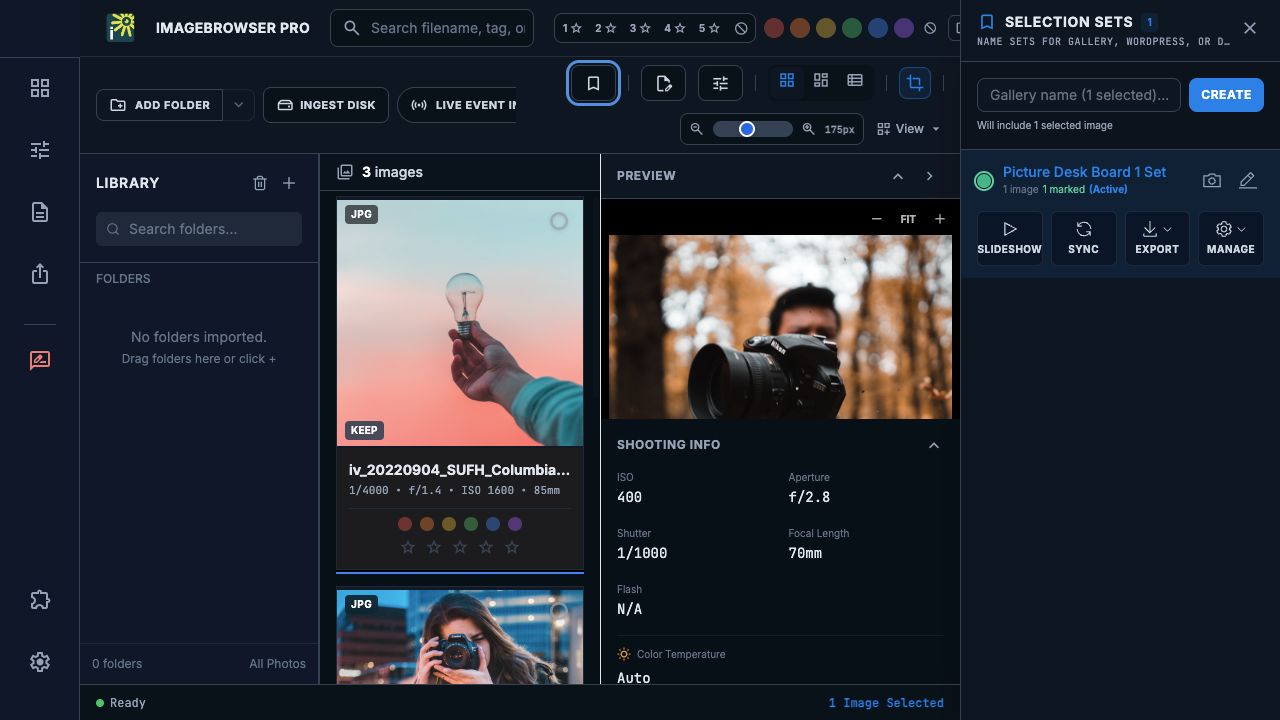
See the edit on a Board.
Place selected images on the dark BrowserBoard canvas to discuss sequence and layout with your collaborator. The Board travels with the Project conversation, while each person keeps their own synced copy of the photographs.
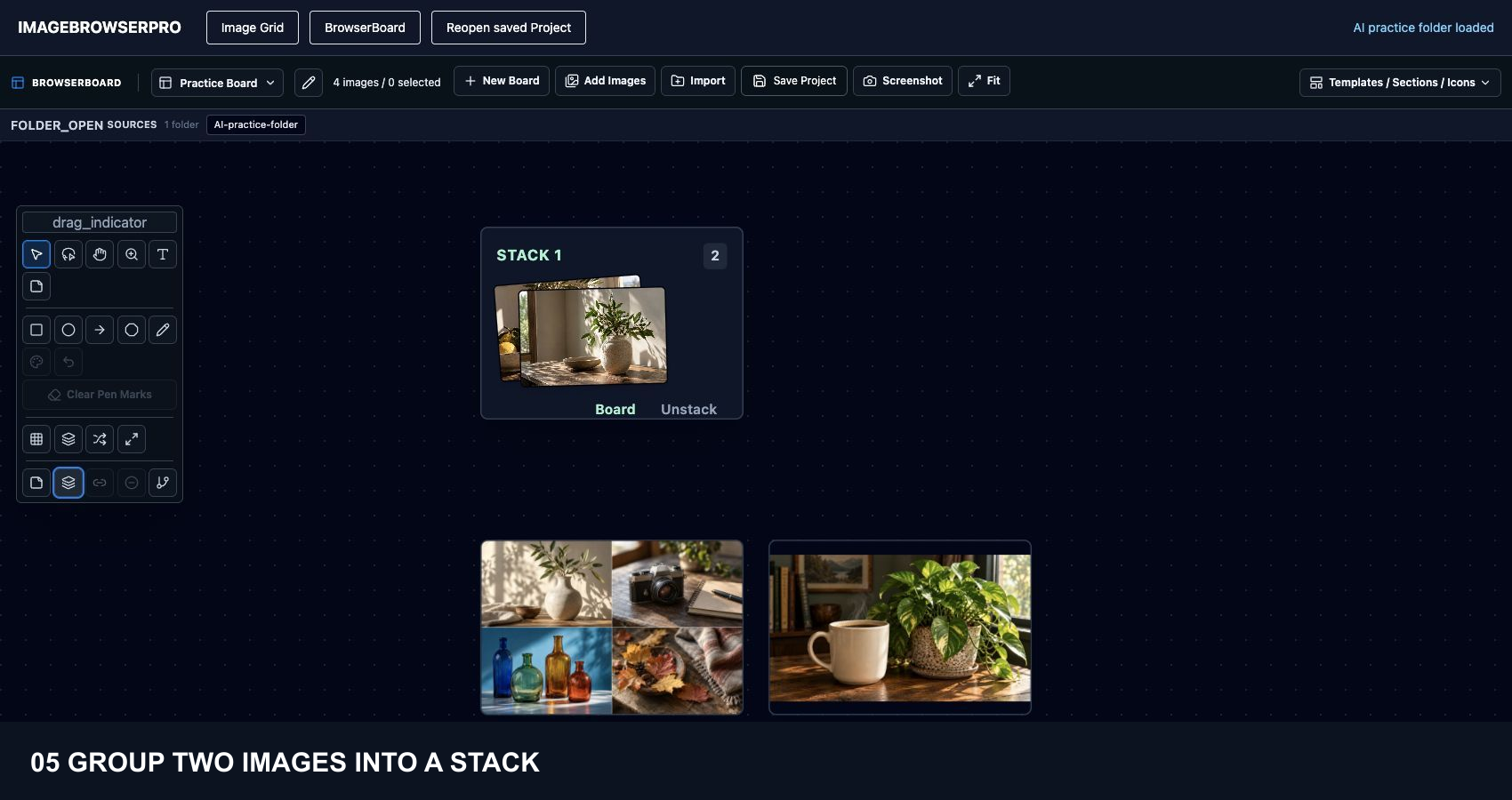
Watch the same folder move from Image Grid to BrowserBoard. Arrange the photographs in a grid or spread, group two in a stack, save the Project, return to the grid, and reopen the Project with the stack intact. The photographs stay in their source folder, so there is no need to rebuild the edit or hunt for files in another app.
Dark-mode development component demonstration with AI-generated practice images. Project save and reopen are exercised in the development fixture; native desktop roundtrip validation remains open.
How a round works
Send, review, return, repeat.
The sender creates a Connect link from Export, Share Project, choosing how long it stays open, and emails it from inside the app. The editor downloads the project, opens it, relinks to their synced photographs, makes the edit, and returns a revised project through the same link. The sender checks for the return, downloads it, and reviews it before the next round.
Every round is a saved revision, not live co-editing, and nothing is merged silently. Ending the link blocks further downloads and returns.
Plain about the beta
What to expect today.
Sharing a Project needs a build that includes Share Project, and both people need ImageBrowserPro. Edit Binders and Share Box previews are opt-in preview workflows and may not appear in every build. The guides walk through each step and tell you what to verify.
IMAGEBROWSERPRO / REMOTE PICTURE EDITING
Try a round with your own shoot.
Join the beta and test a full send, edit, and return with a photographer or editor you already work with.
Questions? Email support@smgmediaworks.com