
ImageBrowserPro / Sets and delivery
Build the edit. Send it out right.
Gather your picks into sets, put them in order, and turn them into numbered files, contact sheets, packages, or a presentation.
Selection Sets / Sequence
Gather the edit without moving the originals.
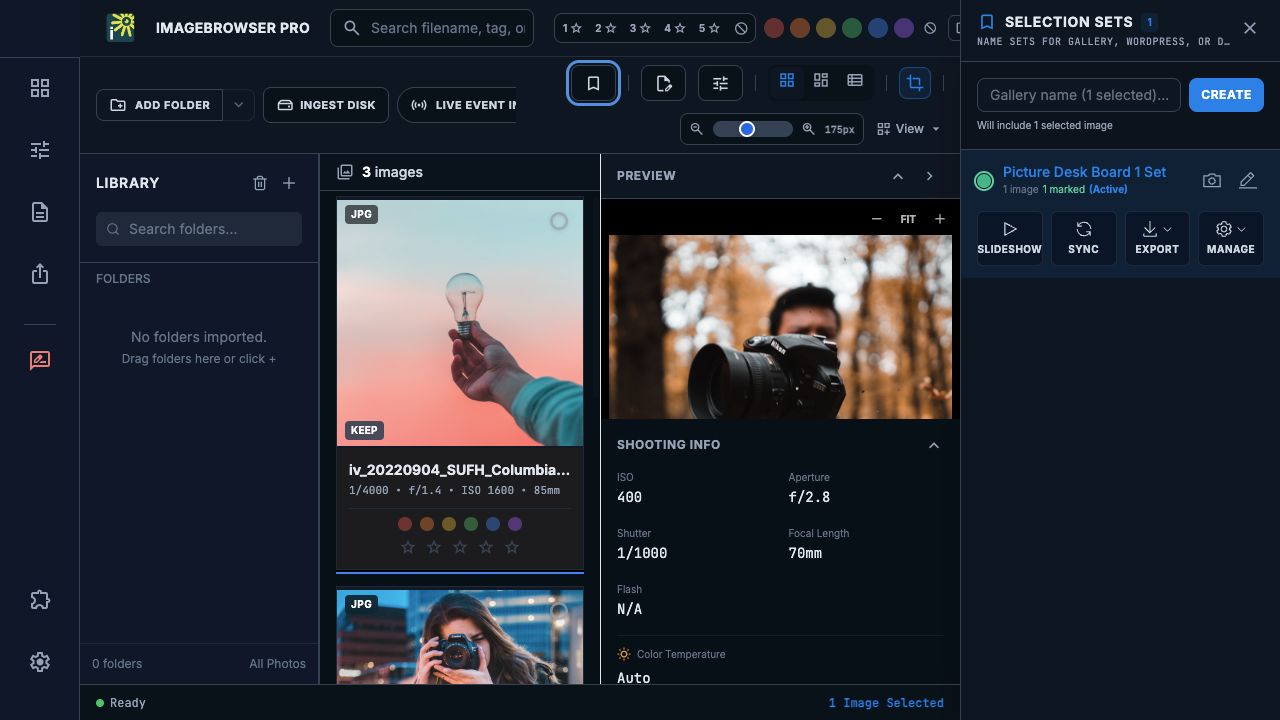
A Selection Set holds references to photographs for a deliverable, so originals stay where they are. Keep separate sets for the final edit, alternates, a class discussion, or a slideshow, and mark a long-running story or semester portfolio as ongoing.
Arrange the final order in Sequence, then export numbered copies so the files sort the way you intended at the destination. Source originals are never renamed.
Deliver
Choose the handoff that fits.
Remote destinations need their own setup, and you check the result at the other end.
EXPORT
Finished copies and contact sheets.
Export finished photographs and contact sheets, and rename a shoot with a saved naming convention.
WORKFLOW PACKAGE
Copy the actual files.
Package originals, or hand work to an external editor, as a portable set of the real media files.
FTP / REVIEW
Send it or send a review.
Deliver to a Custom FTP destination, or export a Review PDF or CSV so someone can read your comments and match them to files later.
Slideshow Studio / Present
Turn an edit into slides without placing photographs one by one.
Open an ordered Selection Set in Slideshow Studio, drag slides into order, add text slides for titles, section breaks, questions, and credits, and set typeface, background, and captions. Export a self-contained HTML slideshow, or a PowerPoint file.
Share the edit
Prefer to share the project instead of the pictures?
Export the whole workspace as a small project file, with sets, boards, comments, and drawings, and share the photographs only once. See how remote picture editing works →
IMAGEBROWSERPRO / BETA RELEASE
Build your first set.
Request the beta and take an edit from selection to delivery.
Questions? Email support@smgmediaworks.com