ImageBrowserPro / Built from the field and classroom
See the moment. Make the edit. Tell the story.
Created by a photographer and educator for the real work of photojournalism and athletics photography: finding the frame, writing the caption, shaping the edit, and delivering on deadline.
Why ImageBrowserPro exists
Built around the decisions a photographer makes every day.
A card comes in from the game. The decisive moment is buried in a burst. Names, context, and credits still need to be right. A picture editor needs a clear sequence, and the delivery deadline is already moving. In the classroom, the next question is just as important: why does this photograph work?
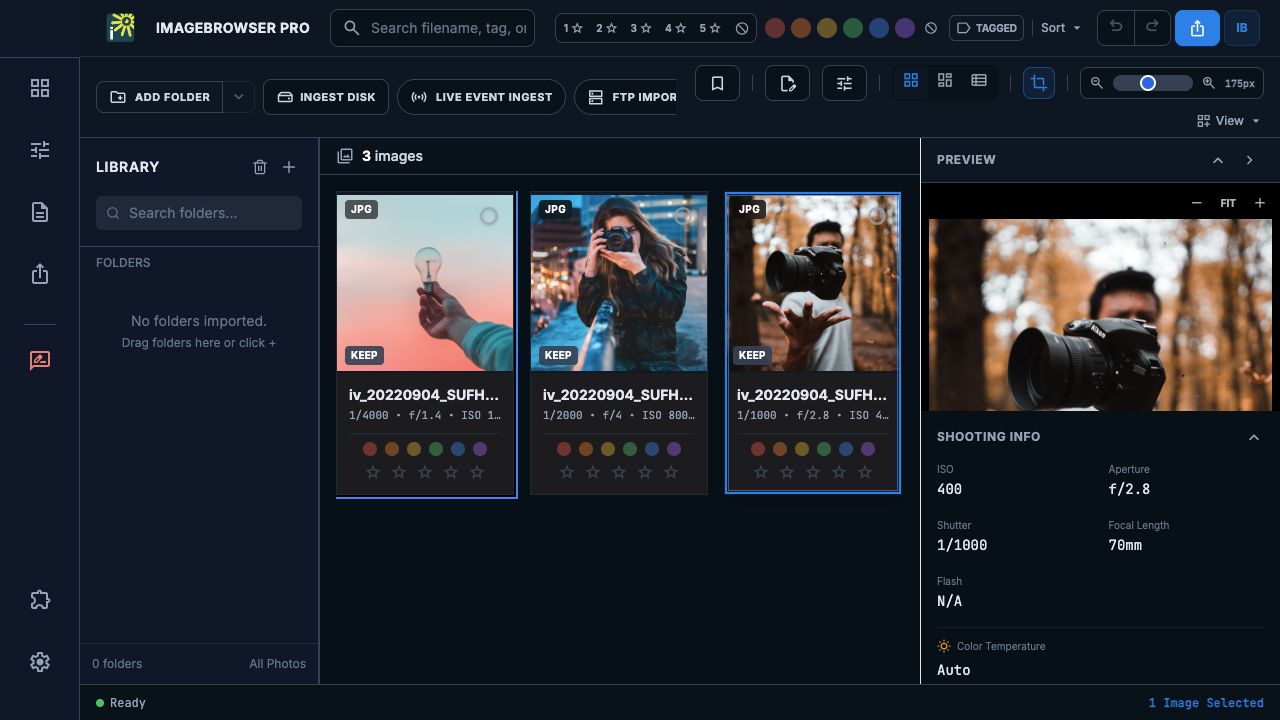
ImageBrowserPro grew from a photographer and educator living those problems. It follows the assignment from shoot to take to individual file, then supports human culling, the final picture edit, careful toning, captioning, and delivery. The photograph stays visible while the work around it gets done.
ImageBrowserPro workflow
01
Ingest
02
Cull
03
Edit
04
Caption & Tone
05
Deliver
Designed for the whole assignment
Practical tools for the moments that decide the story.
Review the take, make the final human selection, keep the facts attached, and show others why the image matters.
SPORTS / REVIEW
Find the frame that matters.
Open a complete burst from one cover, scrub the sequence, return to camera-tagged moments, and compare contenders before you choose.
DEADLINE / ASSIGNMENT
Keep the deadline in view.
Plan the event, track takes and coverage segments, set a human selection target, and keep primary and backup delivery plans close to the edit.
CAPTIONS / CONTEXT
Write with the picture in view.
Enlarge the photograph while the caption stays editable. Reuse IPTC templates and Code Replacements for names, credits, keywords, and other publishing details.
SELECTION / SEQUENCE
Shape the edit as a story.
Build ordered Selection Sets across folders, work with two sets side by side, and export chosen photographs in their saved sequence.
TONE / ORIGINALS
Adjust the moment without losing the source.
Use a local Quick Mask to lift a shaded face under a helmet or cap, then export a separate finished copy while preserving the original.
TEACHING / CRITIQUE
Teach on the photograph itself.
Draw composition guides and callouts, record a spoken demonstration, and save image-free Critique Binder revisions beside the take for review.
From decision to delivery
Keep the work useful after the final selection.
Export a numbered sequence, prepare a presentation from the same set, or package selected originals, sidecars, and finished copies for the next step in the workflow. Your photographs and the decisions around them stay connected.
A workspace shaped by the people doing the work.
ImageBrowserPro is in a limited private beta. Explore the workflow now and request access to help shape what comes next. Public purchasing is not open yet.